Notiz
Basics of Hard Disks and File Systems

Explore the fundamentals of hard disks and file systems in this course, essential for Digital Forensics and Incident Response (DFIR) skills.
Introduction:
-
DFIR means to determine the level of damage after cyber-attack and uncover how this attack has been occurred, and how to prevent such similar attacks in future.
-
Incident Response is to respond towards detected security breach, isolating the incident, and quickly recovering systems.
Basics of Hard Disks:

SSD:
- Store data using NAND-based flash memory which electronically retains data without need to write it to a magnetic medium.
- Advantages:
- Durability
- Lower Power Consumption
- Silent Operation
- Disadvantage
- Write Wear: Flash memory cells have a limited number of write-erase cycles, which limits the lifespan of SSD.
- Cost
Data Recovery From SSD:
-
SSD often uses “TRIM” command to delete data, and it results in irreversible removal of the SSD data, which is challenging for forensics analyst to recover data once it has been erased.
-
Wear Leveling:
- SSD employ this process which ensures that data is evenly writeen across physical memory cells, extending SSD’s lifespan.
Windows File System Fundamentals:
- Defines how the data is stored, organized and accessed.
- Most common: FAT32, NTFS, and exFAT.
FAT32:
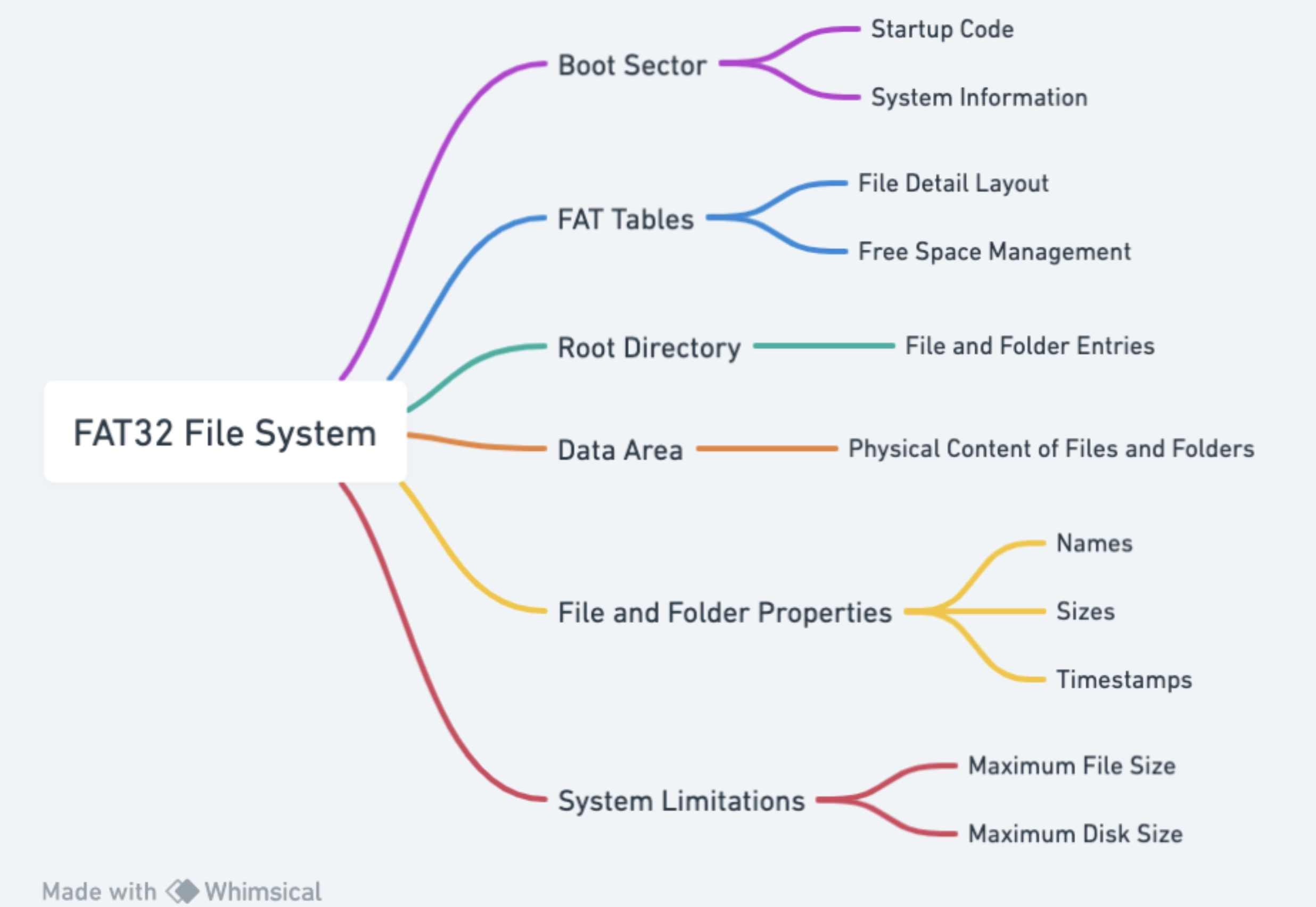
- FAT32 stores data in unit called “clusters”.
- It supports 2^32 clusters, (actually, OS limited it to 2^28). i.e. Maximum partition size limited to 8 TB.
- Maximum file size limit of 4 GB.
NTFS:
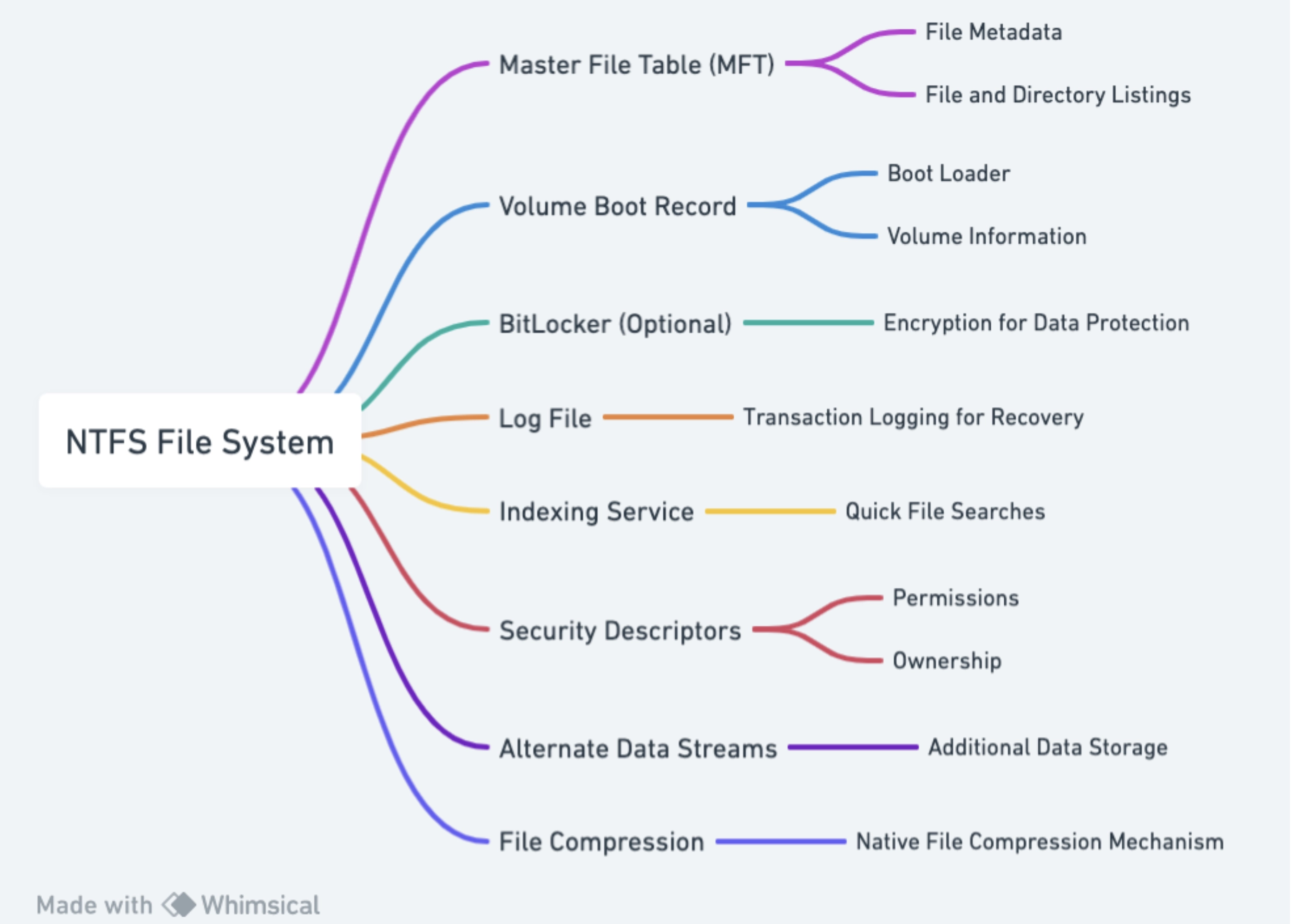
- MFT: The heart of NTFS is MFT, which contains the record of every file and folder in the file system. It stores metadata of files and folders, including file names, creation dates, permissions and physical locations.
- NTFS uses “Journaling” to recover the file system in events of system crash or power failure. Journaling preserves the data integrity by keeping a record of changes so that they can rolled back if some failure occurs.
exFAT:
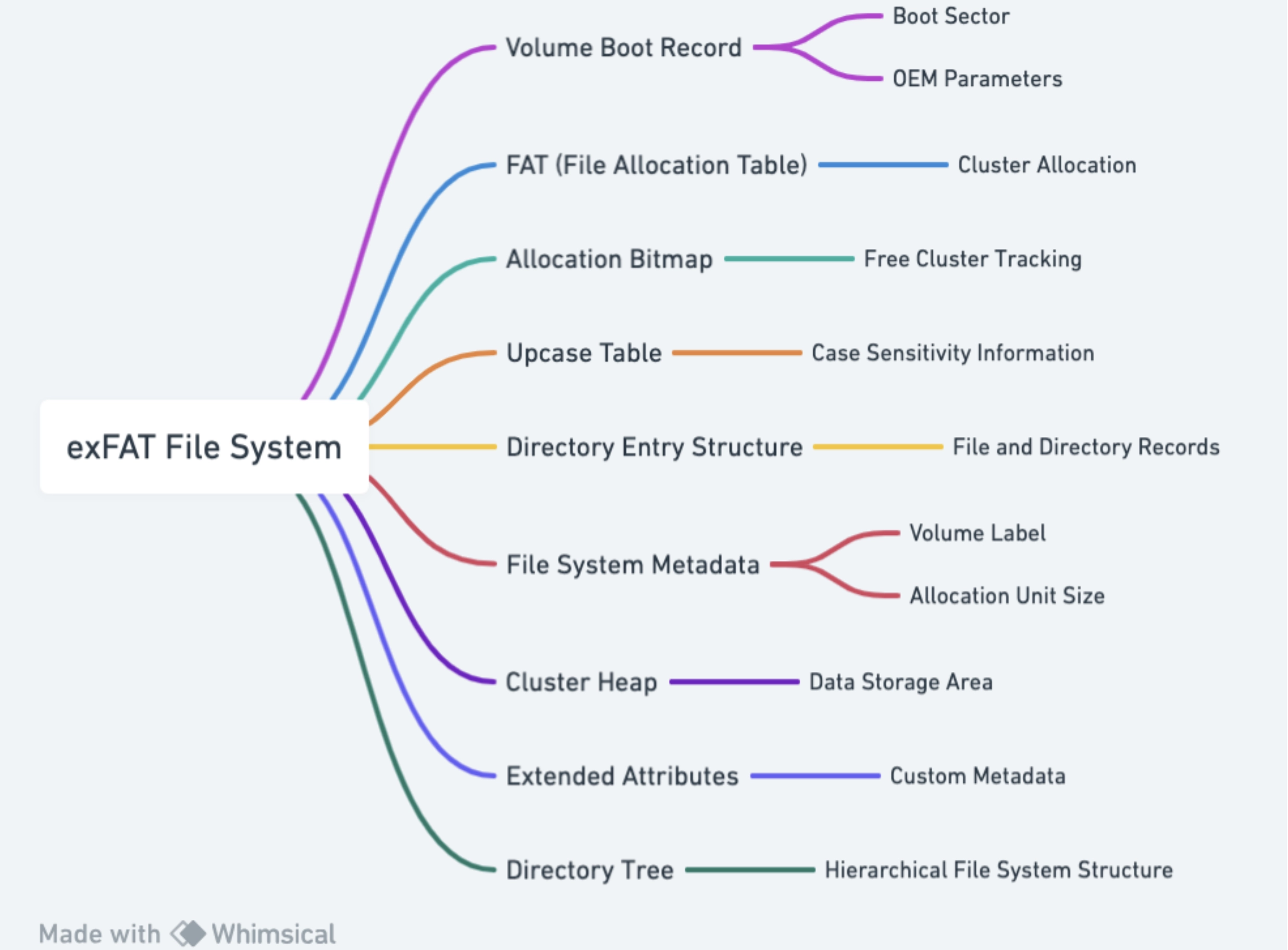
- Developed by Microsoft specially for flash drives and SD cards.
- It was designed to overcome the limitations of FAT32 and incorporate some of the features NTFS offers in portable storage environments.
- But remember, it doesnot provide stroage data protection as like NTFS.
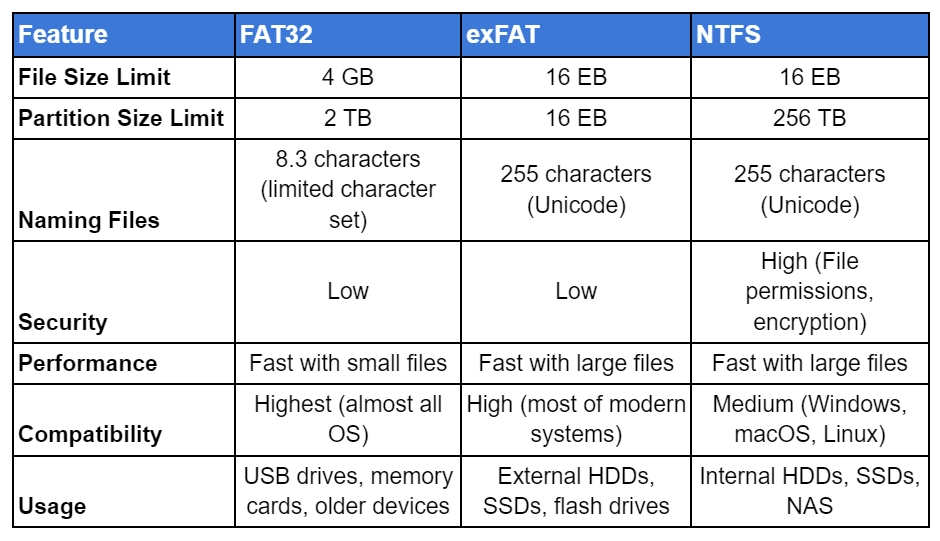
So the overall:
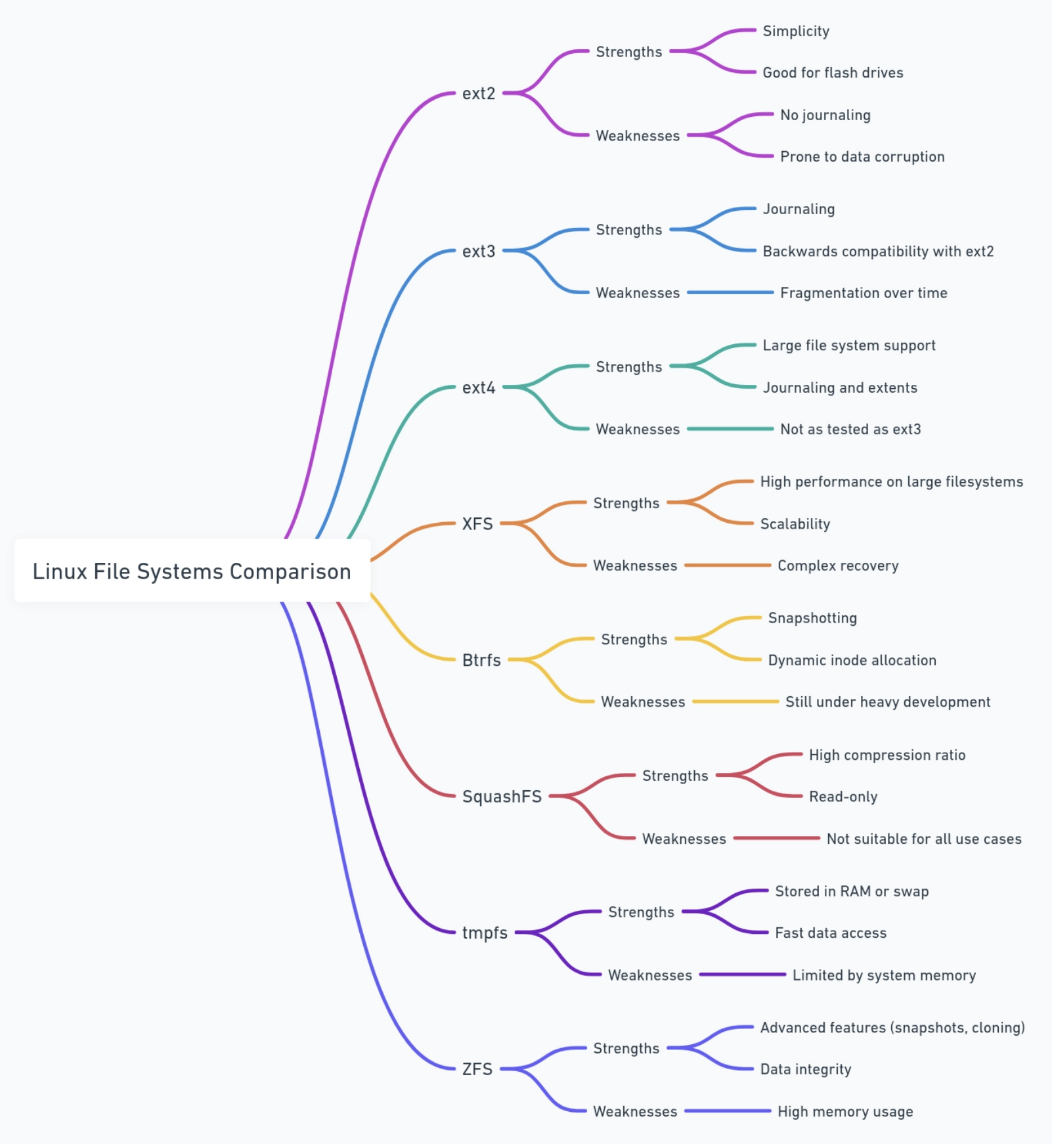
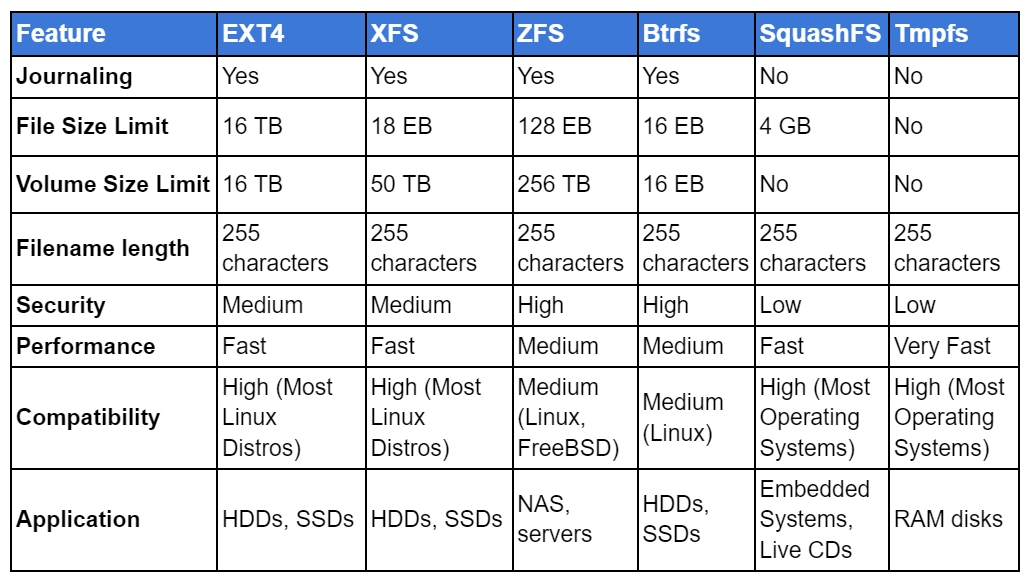
Basics of *nix File Systems:
Lets first understand:
Journaling:
- The journaling process starts by recording changes to the file system in a log. This log is stored in a sperate area of the disk. When there is system crash, the system is restarted, and the file system checks the log to identify incomplete transactions. It will use this info to revert the file system to its last stable state.
EXT file system (EXT) Family:
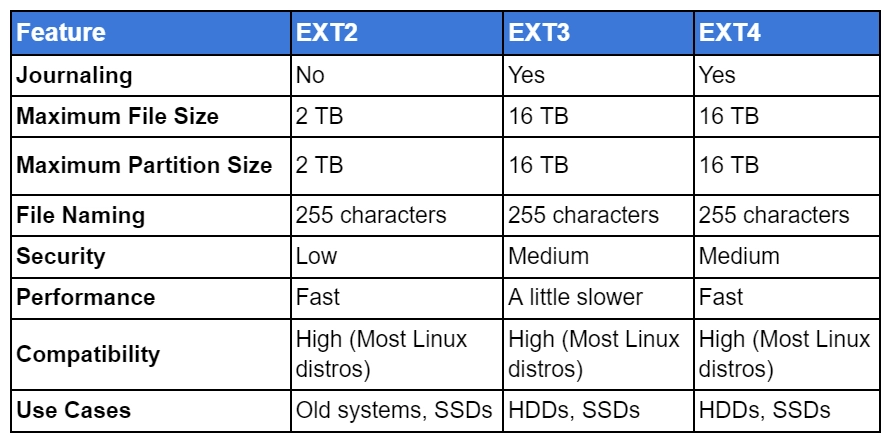
So, conclusion: