Notiz
Disk Analysis - WinHex
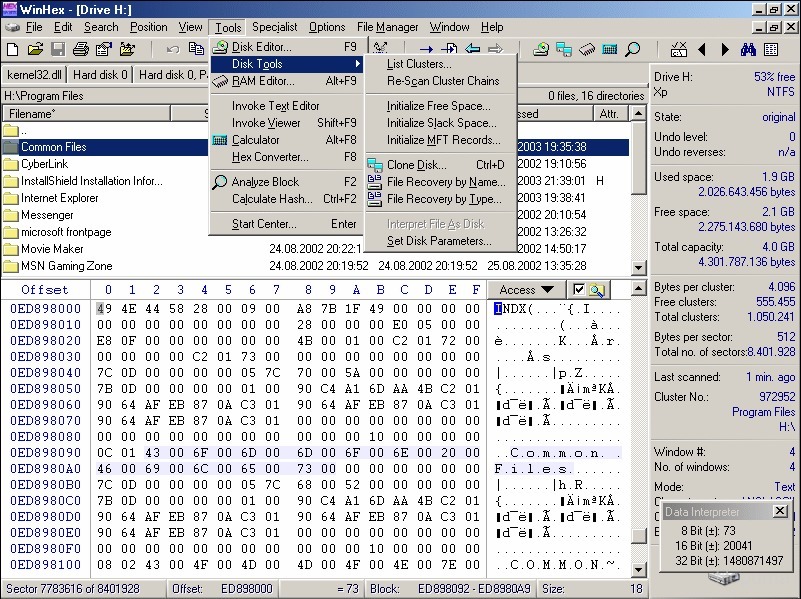
WinHex is one of the best tool for the disk analysis which is created by X-Way’s. The dashboard sample:
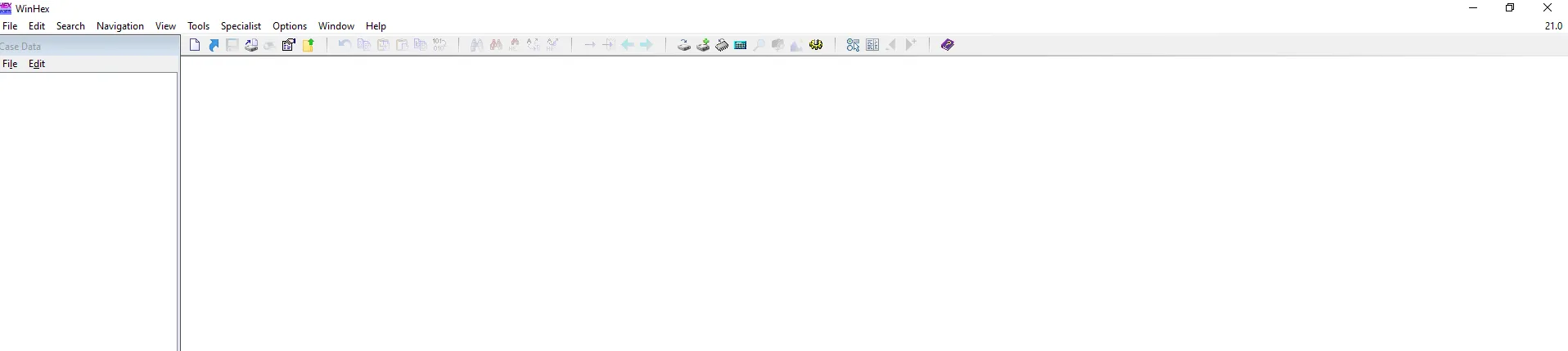 It seems blank at first, but lets open the disk to analyze from the header using: Tools » Opendisk tab:
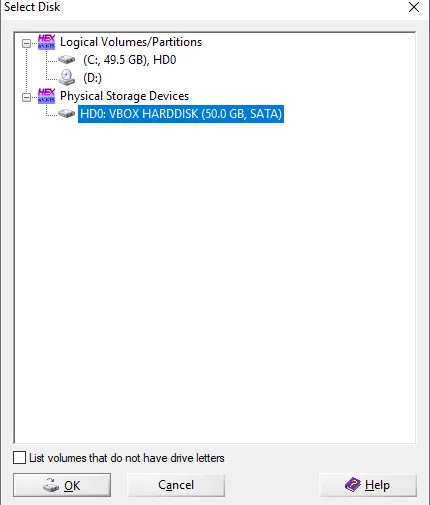
Here, I am using virtual machine and analyze the disk. Press on OK and now:
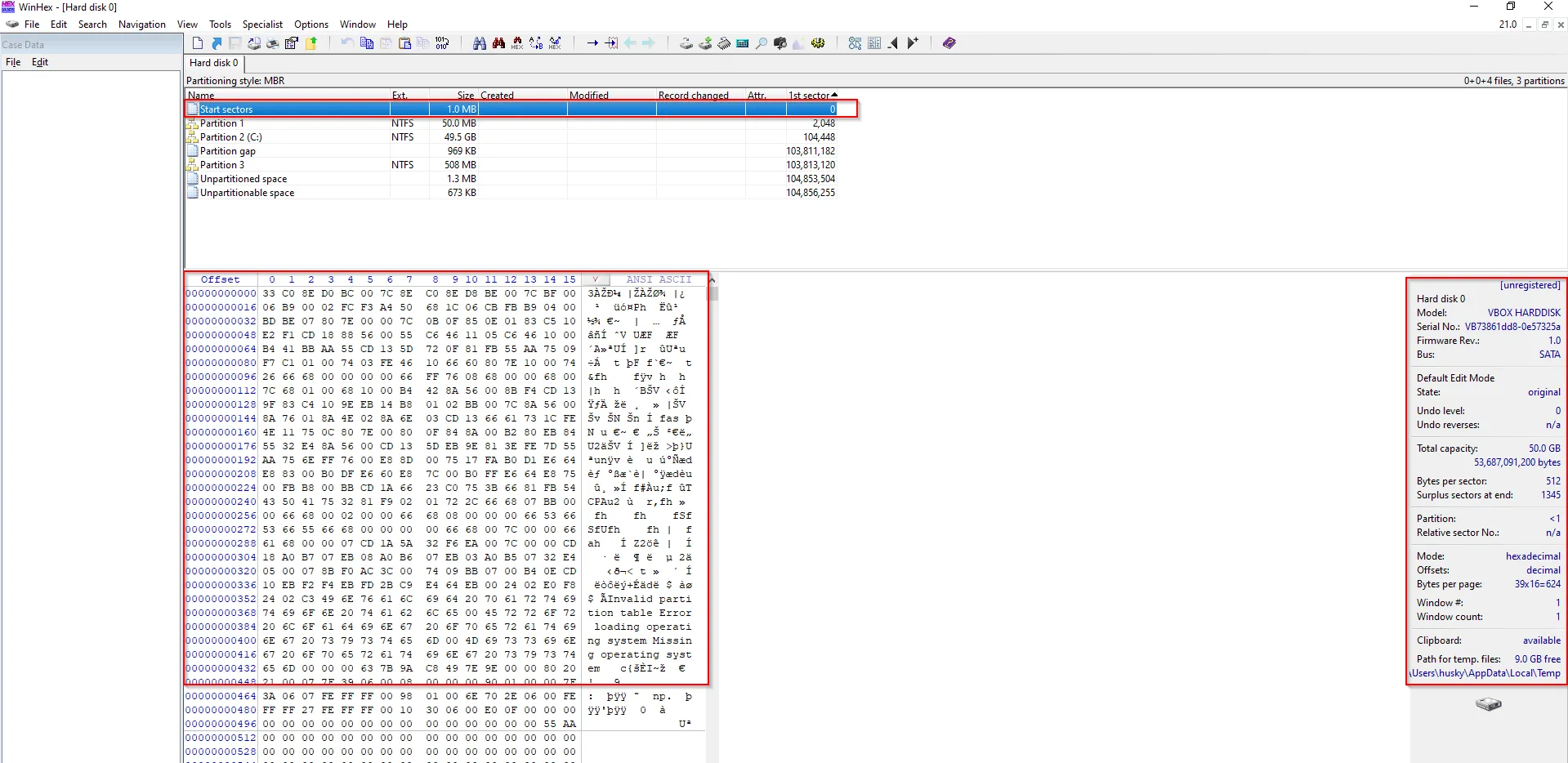
This is actual scenario where we analyze the disk.
The partition seems to be done by MBR as we have confirmed from PowerShell as:

It can also be identified from Disk Management as:
-
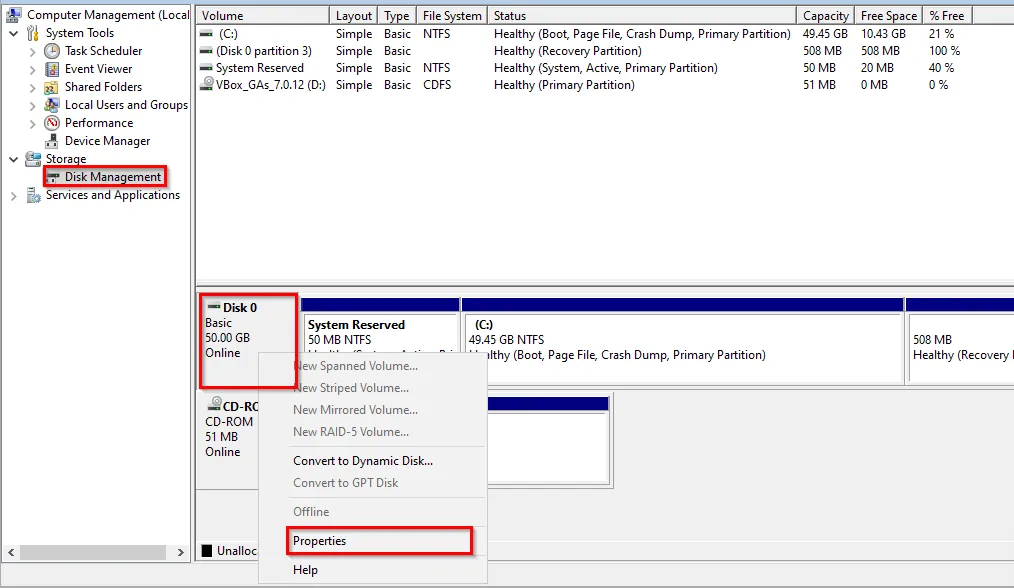
Right click on Disk #
-
Select Properties » Volume option, there we can see the Partition:
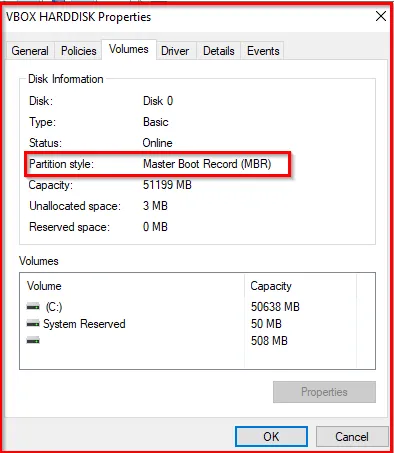
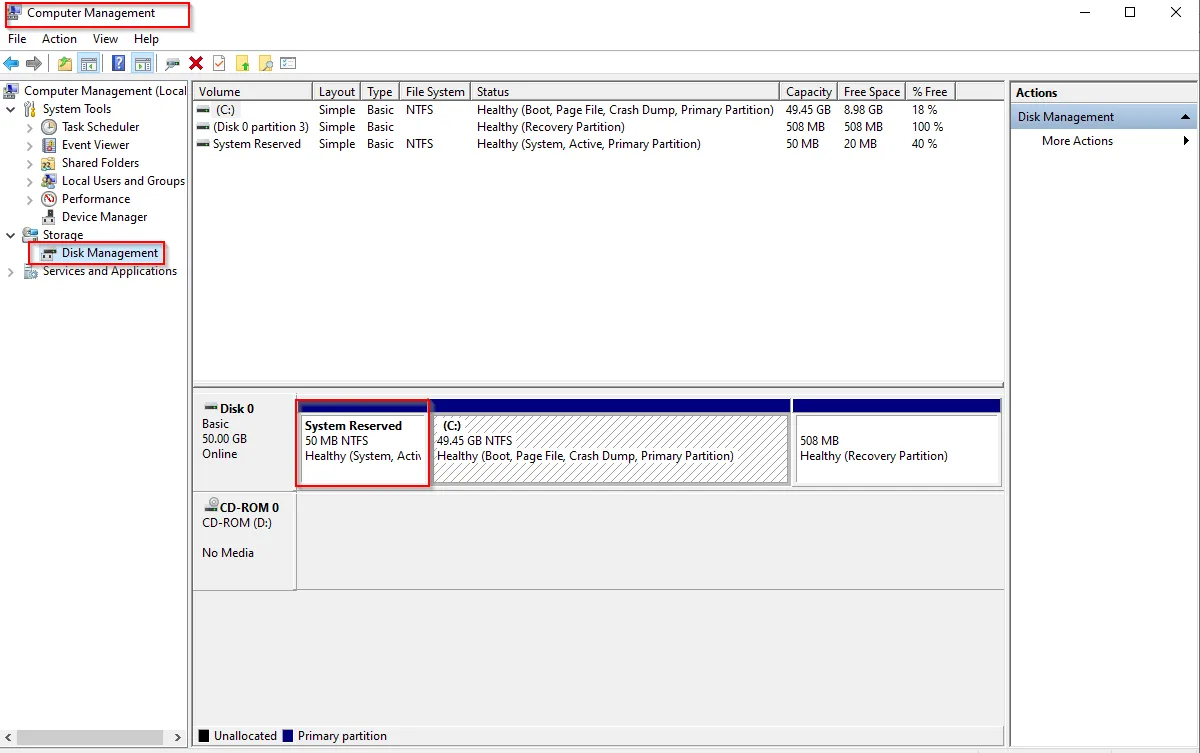
Also Partition 1 seems to be the System Reserved or NTF Healthy file. This can be compared from the actual Disk Management option within Computer Management Application.
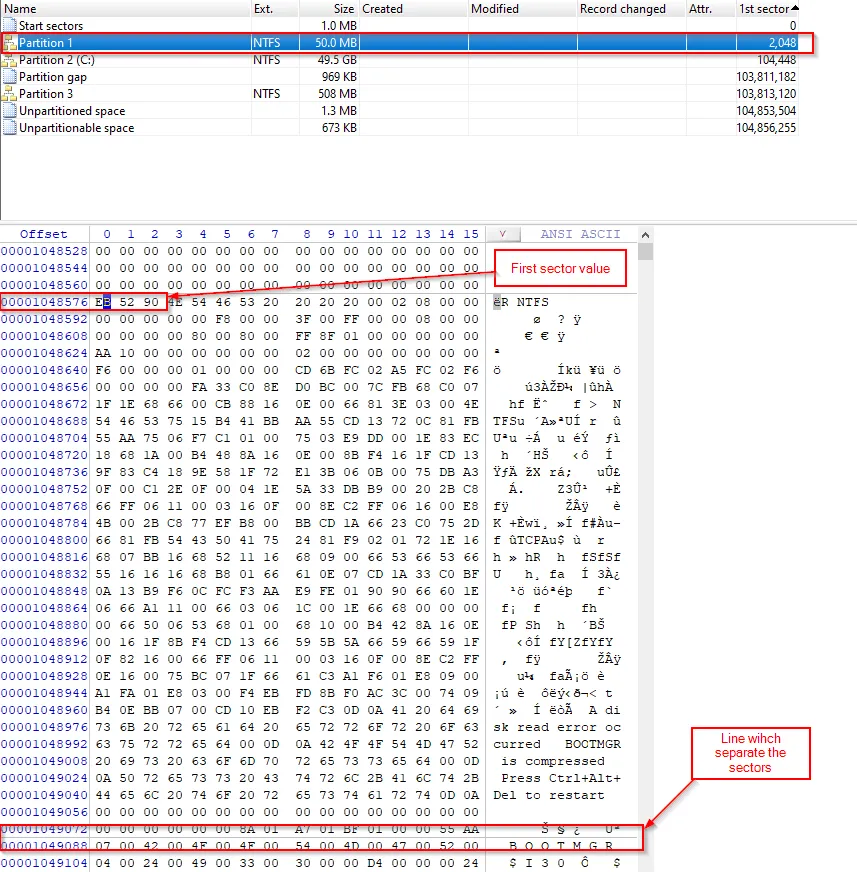
The sector information is given in Hex form within the table and these info is much more important while analyzing the disks. The sector within this table is separated by the line.
Now, let’s select the Partition 1 and we can see that it redirects automatically to first sector value and when we select Partition 2 we will redirect to another sector.
Let’s select the Start Sectors again and now we will begin our analysis on MBR. We read earlier that the MBR size is 512 bytes, which is a sector and its always end with 55 AA (usually called end of the sector marker)
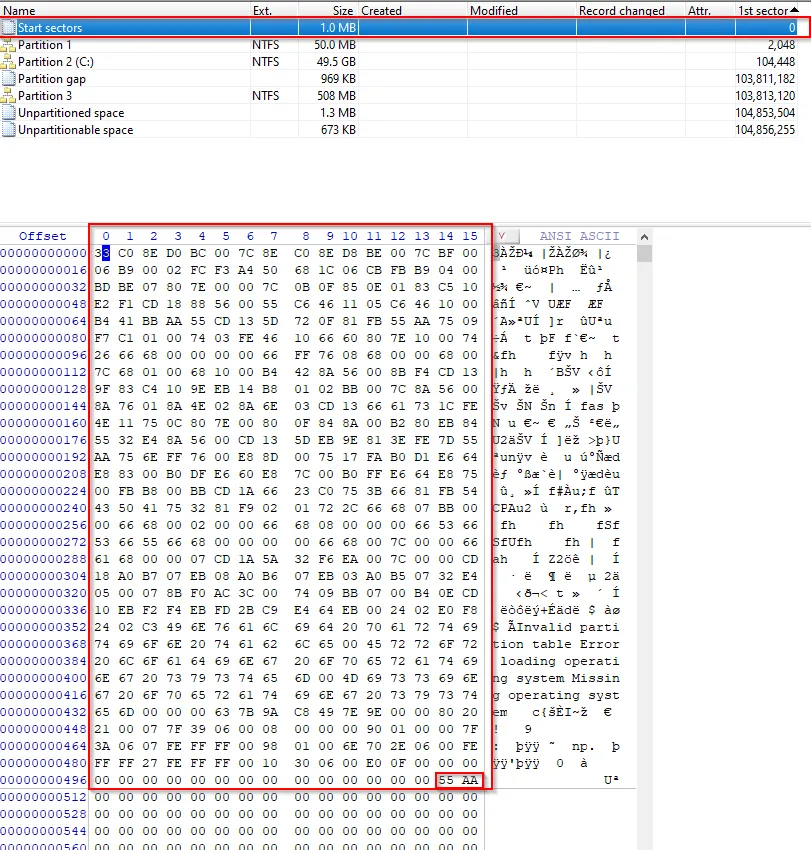
Here we will require the understanding of MBR layout, let’s recall it:
- Bootcode → 446 bytes
- Partition 1 → 16 bytes
- Partition 2 → 16 bytes
- Partition 3 → 16 bytes
- Partition 4 → 16 bytes
- Signature → 2 bytes (0x55 + 0xAA)
Now, let’s select the Boot-code which is 446 bytes within the WinHex.
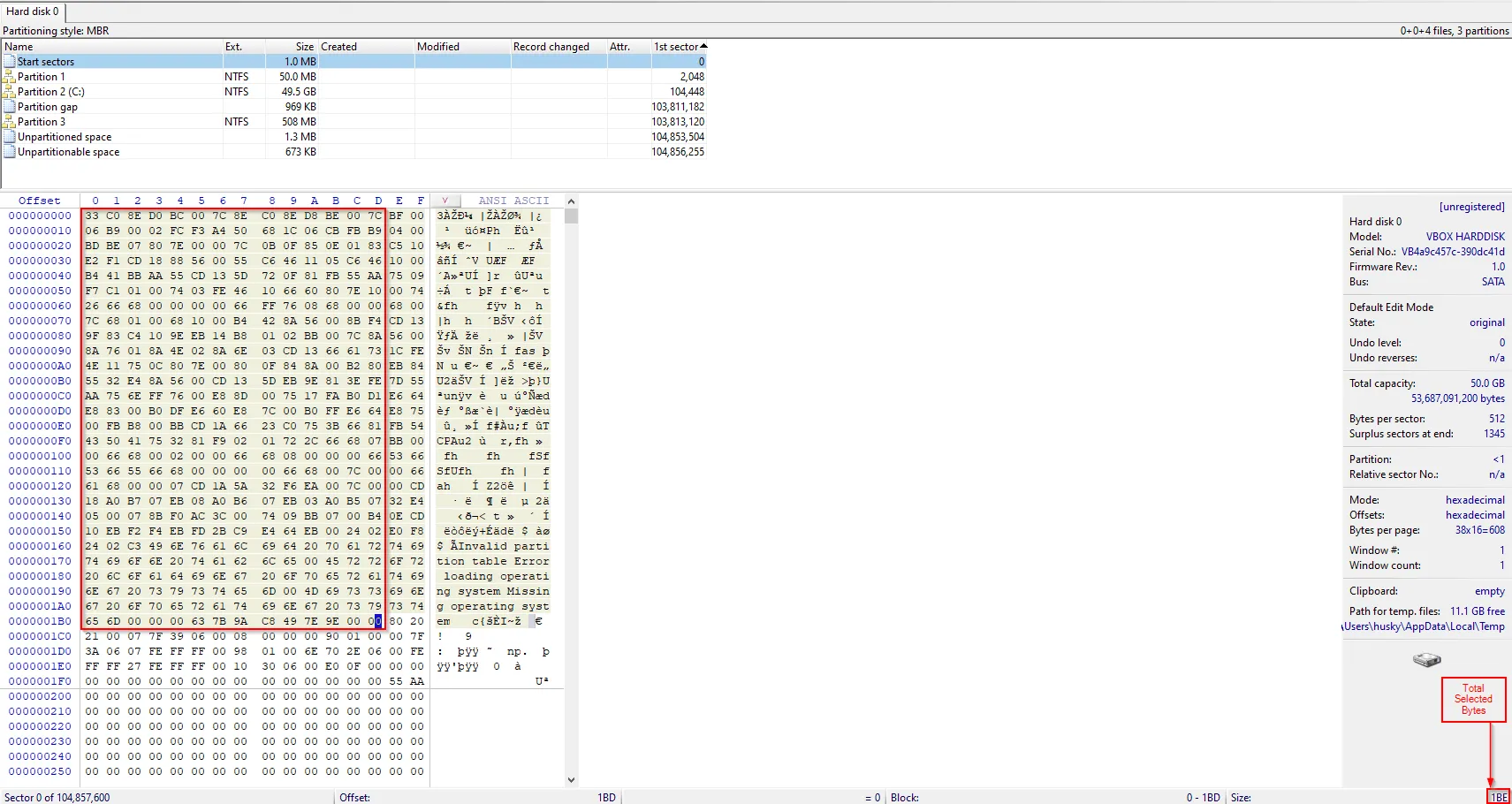
The total bytes we have selected will be mentioned at the right-end of the tool which shows 1BE, this equals to 446-bytes.
Furthermore, let’s represent this selected area with a name and shaded region.
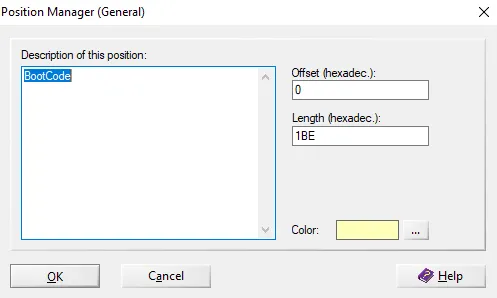
Click OK and our final GUI within WinHex will be:
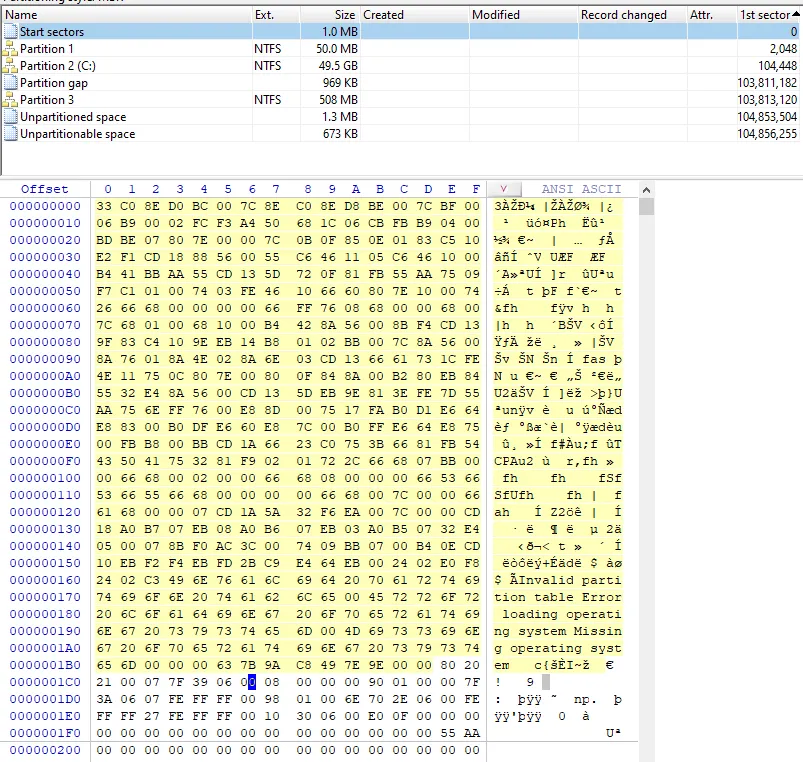
We will perform similar action for the partition (total 4) too, with 16 bytes each and signature with 2-bytes. The final GUI will be:
Remember while selecting the partition, for 16-bytes the size within Hex shows 10.
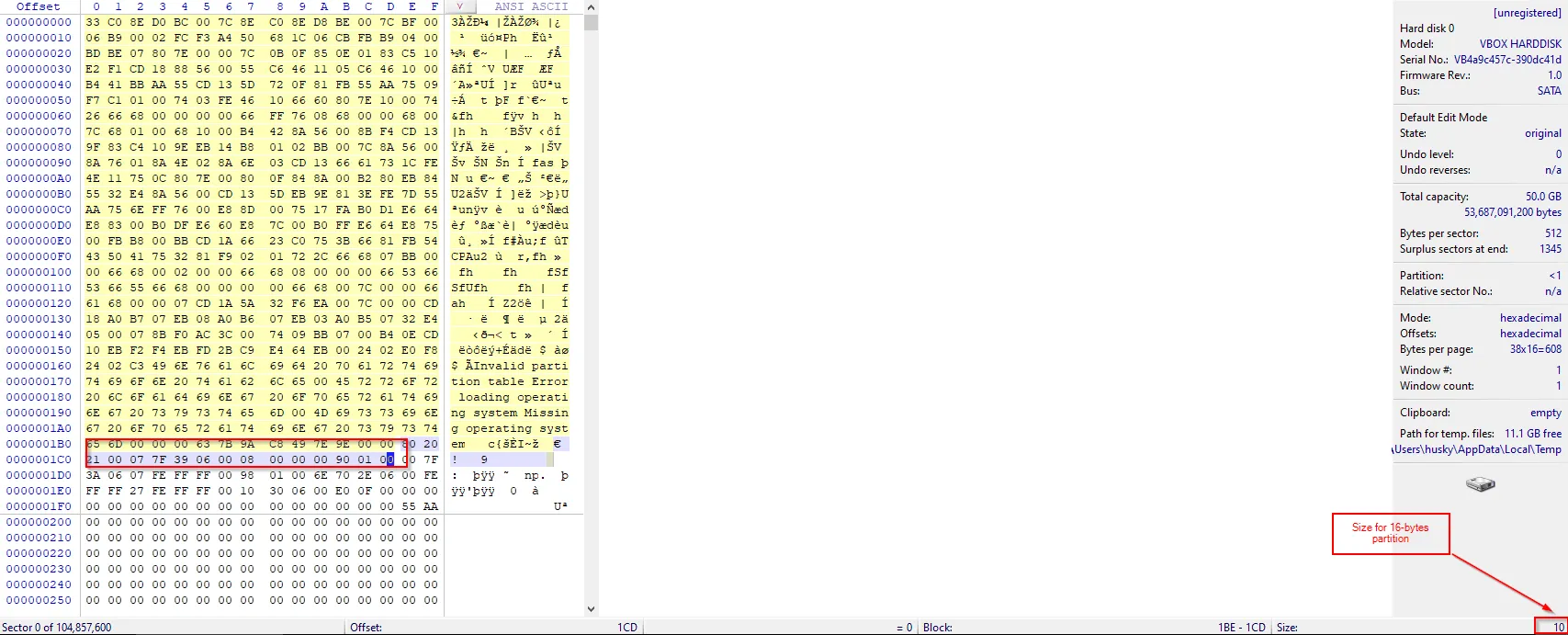
Finally:
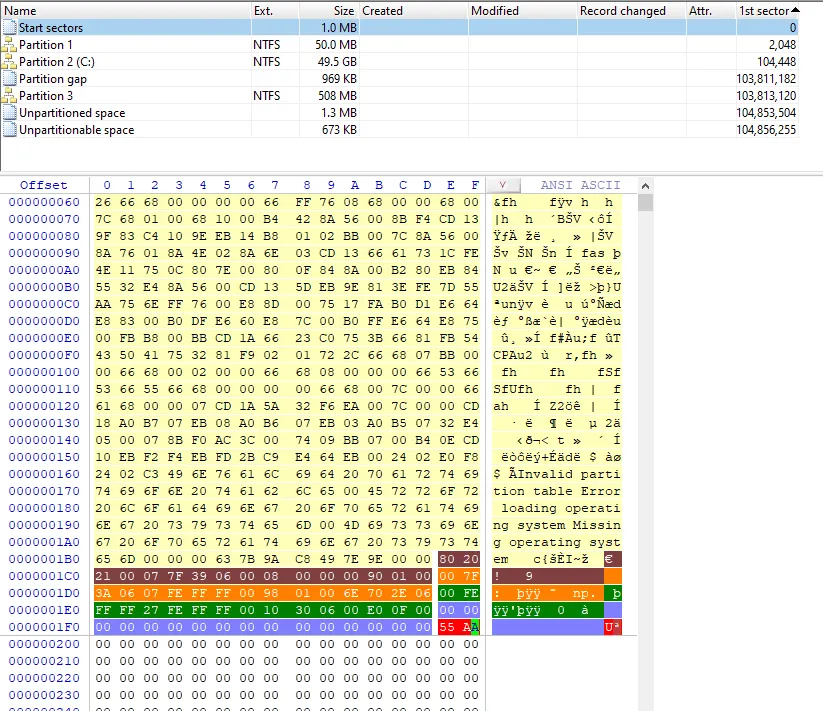
Further, we will also analyze how single partition of 16-byte is structured. We know for every 16-byte the size is differentiated as:
- Bootable (0x80) / Non-Bootable (0x00) → 1 byte
- Starting CHS → 3 byte
- Partition Type → 1 byte
- Ending CHS → 3 byte
- LBA → 4 byte
- No of Sectors in Partition → 4 bytes
CSH layout too, is differentiated based on the size (bits) as:
- Head → 8 bits
- Sector → 6 bits
- Cylinder → 10 bits
Remember, we call it CHS but the values are stored in HSC manner
Let’s explore the partition values :
First copy the partition 1 values by selecting Partition 1 values » Edit »Copy Block » Hex Values
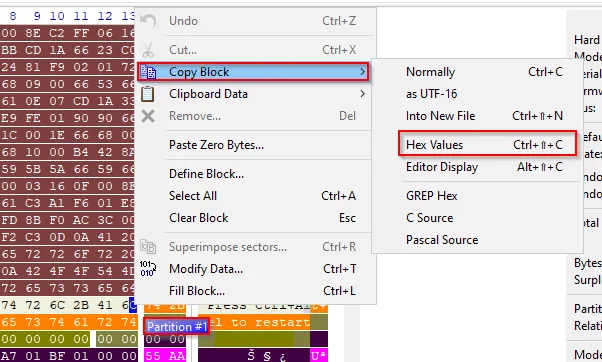
Copied value from partition 1 = 80202100077F39060008000000900100
Partition 1
-
Bootable = 80 (using first byte)
-
Starting CHS : 202100 → 001202 (Finally → C/H/S = /0/2/18)
Now convert those CHS values into bits (as CHS values are distributed in bits) using a calculator:
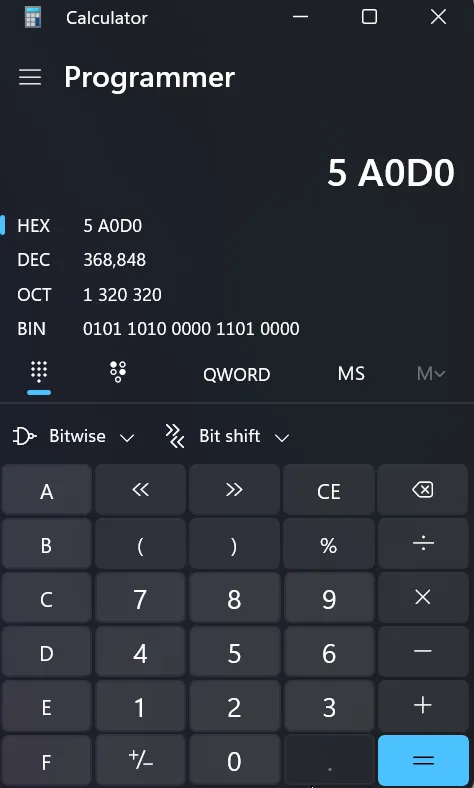
Make sure the calculator has Programmer function enabled.
Values in bits:→ 0001 0010 0000 0010
Head: 0000 0010 ⇒ 2
Sector: 01 0010 ⇒ 18
Cylinder: 0000000000 ⇒ 0
-
Partition Type = 07 (1-byte)
Explore the site to know the actual partition : Partitions-Mass-Storage-Definitions-Naming-HOWTO (tldp.org)
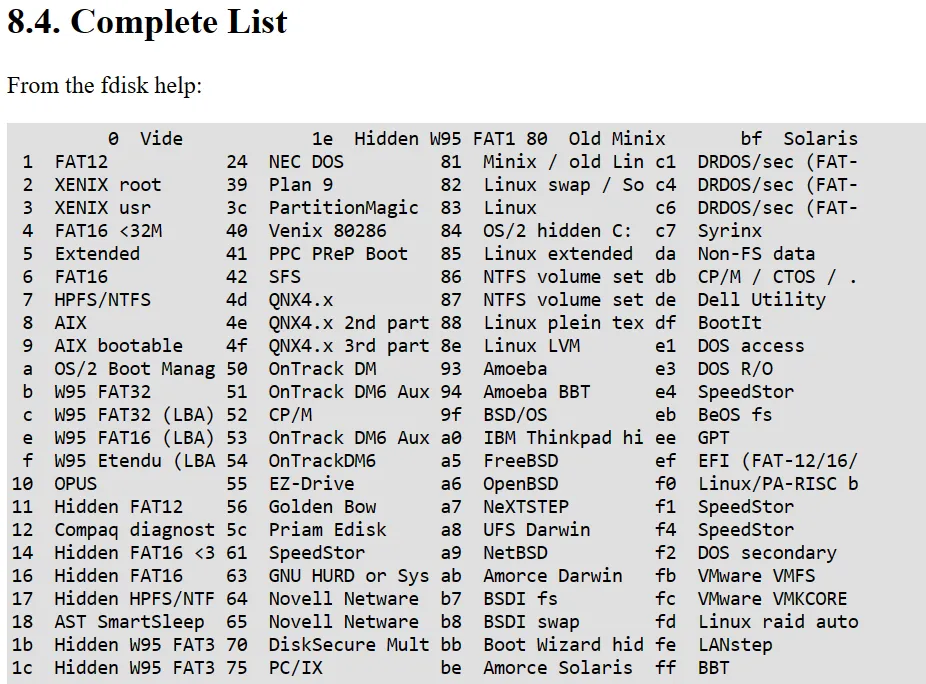
So 07 is NTFS file system.
-
Ending CHS (3-byte): 7F3906 → 6093F7 = 1011 0010 → (Finally C/H/S) →12/114/6
0110 0000 1001 0011 1111 0111
Head = 1111 0111 (8-bits) = 247
Sector = 01 0011 (6-bits) = 19
Cylinder = 0110 0000 10 (10-bits) = 386
-
LBA (4-bytes): 00080000 →00000800 → 2048
This can be verified within WinHex as:

→ Little-endian conversion is done. (Visit below site):
→ https://www.scadacore.com/tools/programming-calculators/online-hex-converter
→ Simply understand (Little-endian will have highest value at end {right side}) and just swap all the alternate byte address, (1 swap with 4; 2 swap with 3):
-
No. Of sectors (4-bytes): 00900100 →00019000 → 102400 x 514 bytes= 52428800 bytes → 50 MB
To verify the size of partition 1 we can view within the WinHex as:
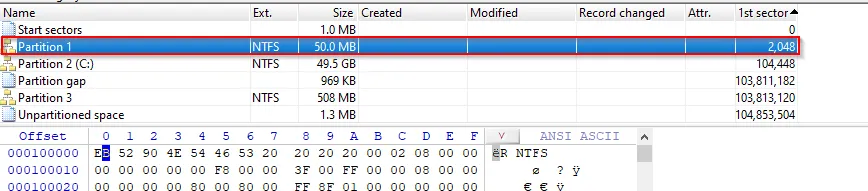
Further more we can also analyze the number of heads and cylinder within the right side of WinHex with our caculated value.
Partition 2:Copied value for partition 2:
007F3A0607FEFFFF009801006E702E06
→0607FEFFFF009801006E702E06
- 6E702E06
- Bootable (1-byte) → 00 → yes it’s bootable
- Starting CHS (3-byte) →7F3A06 → 60A3F7
- Partition type (1-byte) → 07 → NTFS
- Ending CHS (3-byte) →FEFFFF → FFFFEF
- LBA (4-byte) → 00980100 → 104,448(Little Endian)
- No of Sector (4-byte) → 6E2E7006 → 06702E6E = 108,015,214 x 512 bytes = 55,303,789,568 bytes = 51GB