
First, two samples are given for us to evaluate. Both of them are dmp files.
Lets carry out the static analysis of those dump files.
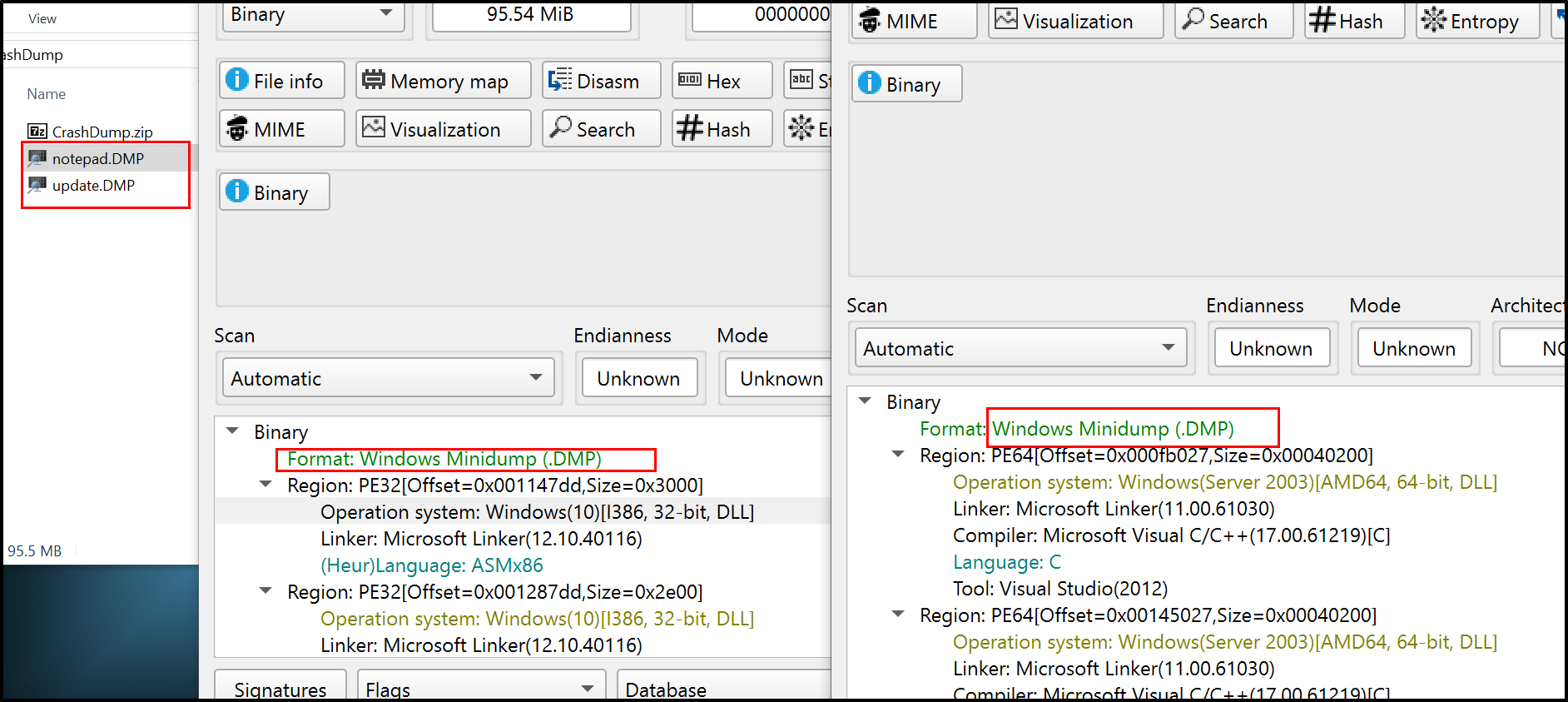
We see the samples to be MiniDump files but it does contain several regions with different operating system. So we can’t rely on the DiE to understand the OS and its that it was running on.
In such case, I found that WinDbg could be the best tool for analysis. When I was solving it, I didn’t know more about windbg and was unknown about method of analysis for such kind of files. Cheatsheet is available here.
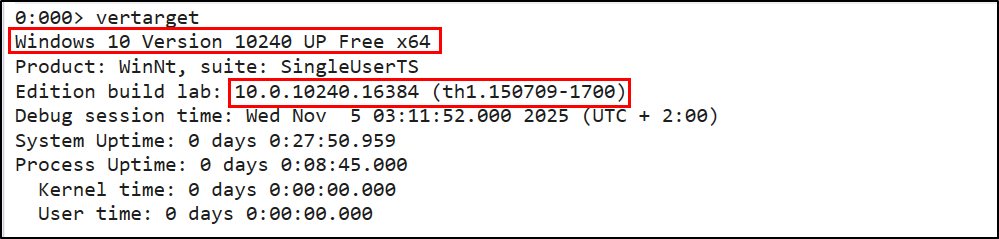 —> Windows 10 (10.0.10240.16384)
From the naming conventions, we can assume that these two files can be used as Process Injection where one process will act as an injector and inject it to another ligitimate like file (notepad.exe). While evaluating the running files, notepad can be seen as benign files but actually it could run malicious code in the background.
Now lets look deeper into those files and understand what processes are running on that OS. . This blog was really helpful for me to correlate processes and threads in windbg and understand about PEB, TEB and its anti-debugging flag that are mostly used by malware samples.
With a command !peb, I can find the address of PEB but not the all information.
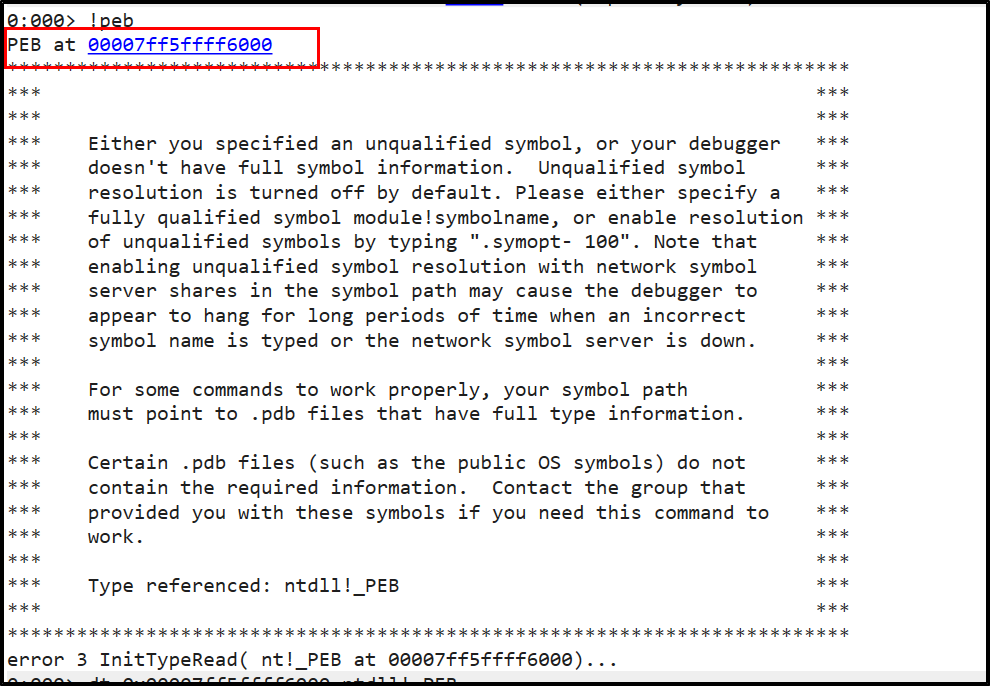 ->00007ff5ffff6000
Starting from this address lets search in the memory if we can find any other process that might be running. For our 64-bit system we will be adding + 0x20 and look if any process could be available on that address.
dq 00007ff5ffff6000 + 20 L1 (i.e Display quard-word(8-bytes) (standard for x64) of 1 unit of data, at <PEB> + 20 bytes )
->00007ff5`ffff6020 00000000`005d12f0
It returns a new adderss and this could the address where the process could stores its name, path and command line. Digging into this new adderss : (starting from this address + 0x20), at 0x60, I got something useful: (It turns out that 0x60 is the ImagePathName from intial address of RTL_USER_PROCESS_PARAMETERS )

It seems like a normal update in the OS, but actually the intial point of access to the system. Below shows the number of threads running on this process.
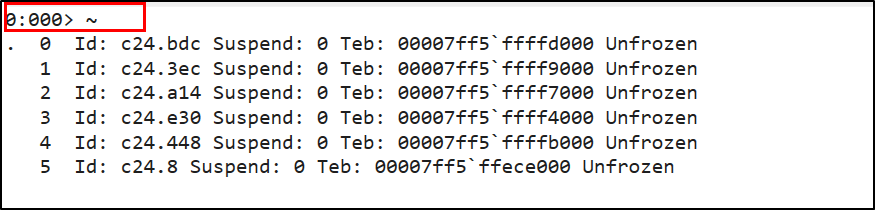 ->6 threads
Within our lab also it mention that there has been some kind of IPC connection, which seems to be align with our assumptions. Lets see what IPC communication has been carried out so that the injection can be integrated to the given process i.e. Notepad.
Also remember, (.)dot symbol represents the active thread on the process, as seen in the above image. Meaning, there could be high possibility of having IPC communication on this thread.
Note that, for IPC, windows uses some strict syntax like: \pipe\ or \\.\pipe\(I got to know from google :) ).
And we will search this string throught the whole address. This can be done as:
 ->\pipe\MSSE-1641-server
After process being injected to the notepad, lets make static evaluation of that injected process within notepad.
First of all, lets see the PID of notepad using |command:
 ->920
->920
For this process, altogether 4 threads have been created. To look for time of last created thread:
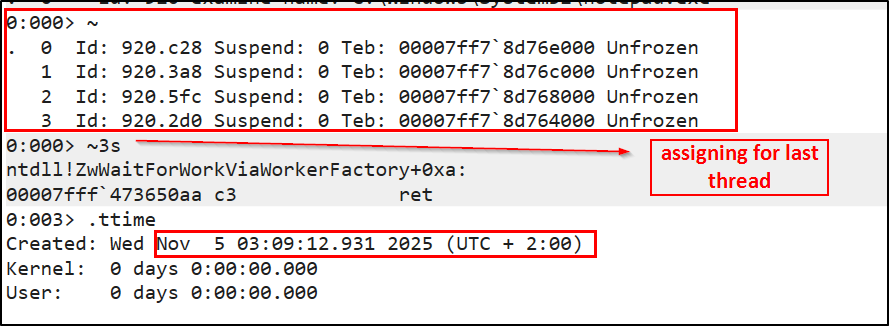 ->Nov 5 03:09:12.931 2025 (UTC + 2:00)
Within these threads if we are able to look thoroughly we can find the shellcode which might contain C2 connections. For that lets find the base address of that thread.
Recalling the list of all the threads, the base address for the shellcode can be assume next to the start address for any process like notepad.exe. Because for most of the injection cases, the shellcode is placed at the very beginning of a newly allocated memory page.
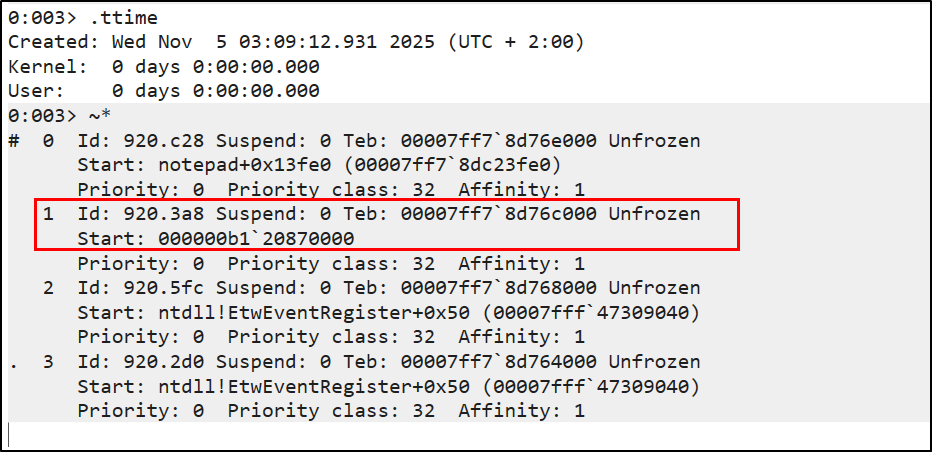
Remember, these threads start address didnot belog to a named module like notepad.exe. (Starting from this address we could have search for the C2 server but it doesnot return anything for me :( So I used another method instead )
Searching for the C2 connection within the whole range of memory address. But this seems absurd, as we can’t find any c2 connection from notepad process but while searching on update.dmp file:
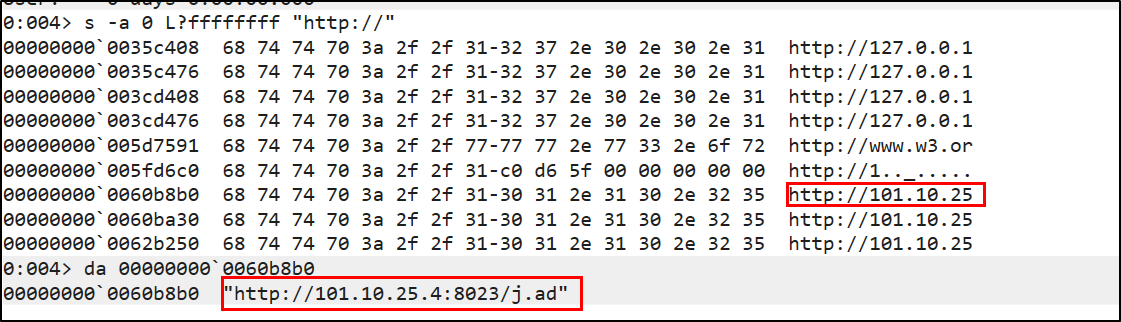 ->http://101.10.25.4:8023/j.ad
So it means, the malware was running in the injected process and not being able to find the searched C2 server could be due to obfuscation within notepad or it could wipe it. But for update, it keeps it as it is because after having IPC communication to inject the code in notepad, it sleeps its execution to become undetected from EDR or anti-virus.
This is a similar blueprint of Cobalt Strike.